
Without uploading your O-Level result on JAMB CAPS, you won’t get admitted into any tertiary institution in Nigeria, no matter your JAMB UTME score.
Yes, you read that correctly.
Many candidates have been denied admission because they were unaware of this process. You do not want this to happen to you after all the efforts you’ve put into preparing and attempting the JAMB UTME exam.
In this article, you will learn two things;
First, you will learn how to check if your O’Level result has already been uploaded to JAMB CAPS. It’s possible that it was uploaded during your JAMB UTME registration.
If your O-Level has not been uploaded, you will learn how to upload it.
Before you can do any of these, you must have linked your email address to your JAMB profile.
Also, ensure that you have the correct O-Level subject combinations for the course to which you are applying.
How to confirm if your O-Level Result is Uploaded on JAMB CAPS
Visit the JAMB efacility portal and log in with your email address and password. If you are browsing with your mobile phone, make sure you switch to desktop mode.
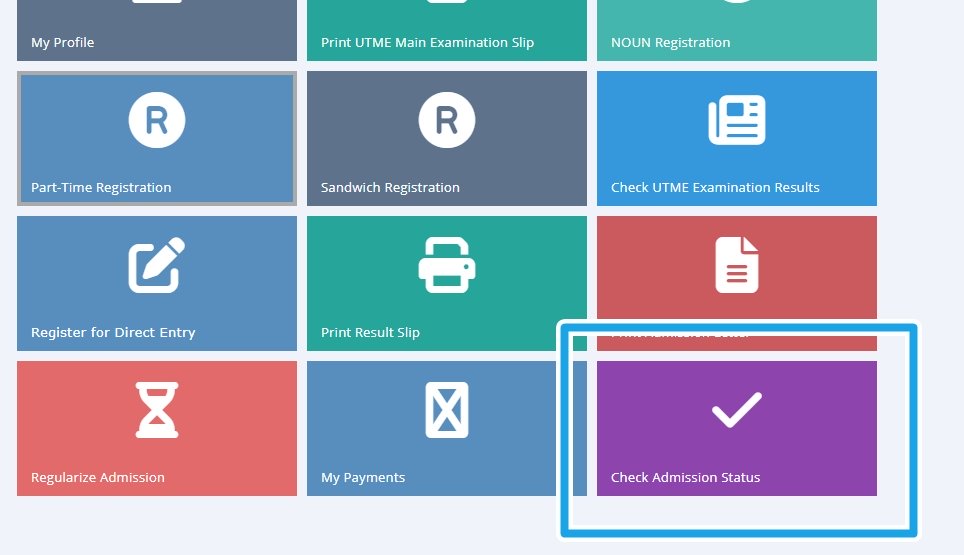
Once you are logged in, click on “Check Admission Status”.
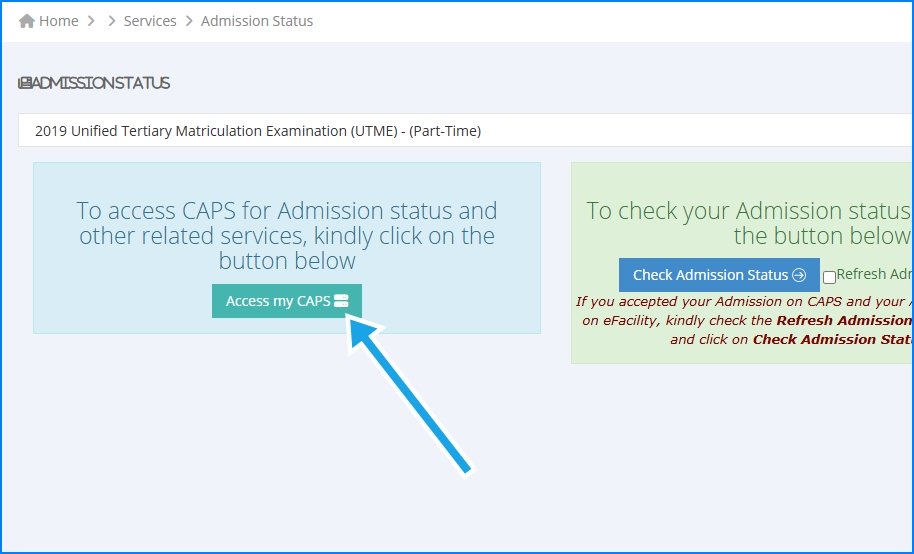
Click on Access my CAPS.
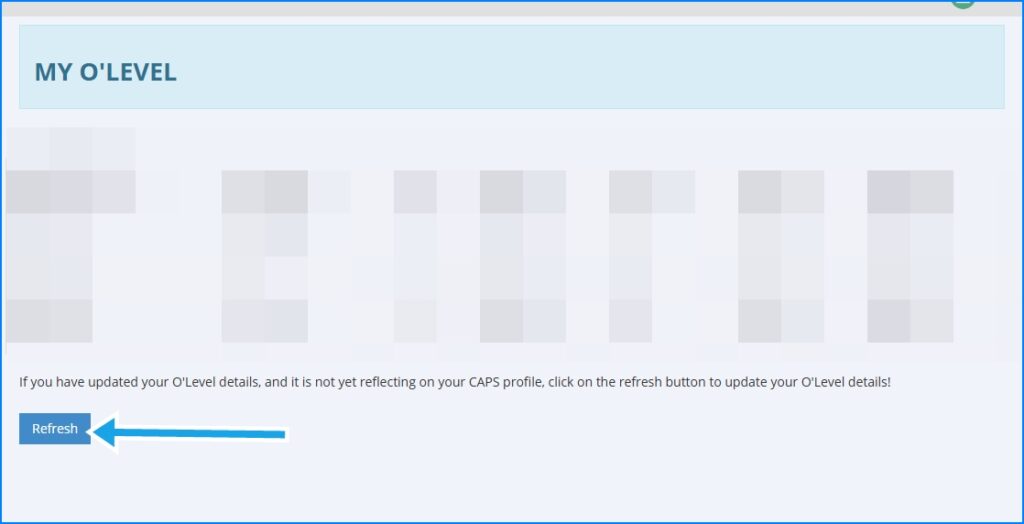
Then click on “My O’Level”; your O’Level result should appear if it has been uploaded.
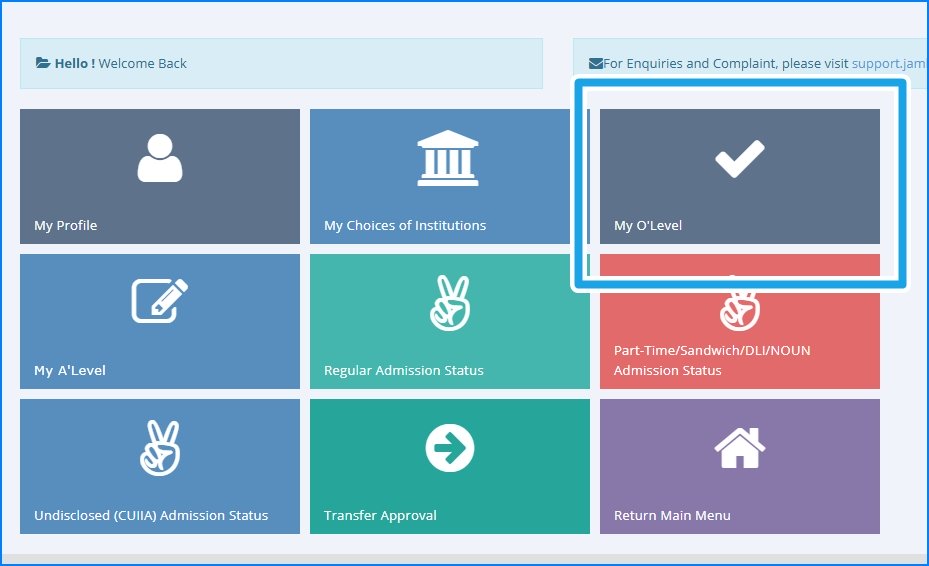
If it doesn’t appear, click the refresh button. If there’s still no result on the page, it means you have not uploaded your O-Level result to JAMB CAPS.
How to upload O-Level Result on JAMB CAPS
Candidates are expected to visit an accredited JAMB CBT centre to upload their O’Level results to JAMB CAPS.
Go to a JAMB CBT centre closest to you (you can use Google Maps) with a copy of your O-Level result.
If you are combining two different results, you must go with both of them. You can also go along with your JAMB UTME exam slip in case you forget your exam number.
When you get to the CBT centre, your thumbprint will be taken to verify your identity, while your O-Level result will be scanned and uploaded to the JAMB website.
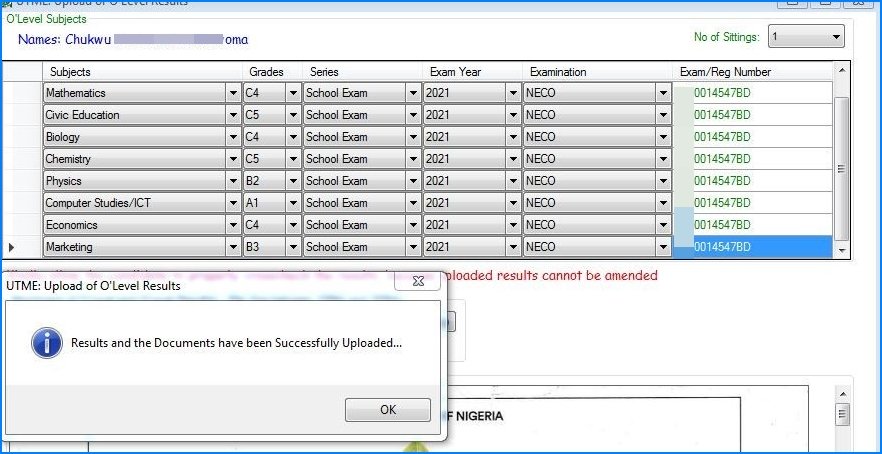
You will be charged about ₦700 to ₦1,000 for this service. Make sure you confirm that the upload was successful before leaving.
Ask for a confirmation like in the image below;
Note that sometimes, the O-Level result does not appear on your portal immediately. In some scenarios, it could take up to a week or more. But as long as you are certain you’ve done the upload, just keep clicking the refresh button on the O’Level upload section to confirm when it appears.
FAQ
When is the Deadline to Upload O-Level Results to JAMB?
JAMB does not set deadlines for the O-level upload process. However, it’s best to upload before your school of choice begins to offer admission.
Can I gain admission without uploading my O-Level Results?
No, you cannot. If you qualify to be admitted, the admission officer will manually check if you have uploaded your O-Level result before granting you admission.
Can I Upload my O-Level Result Twice to JAMB CAPS?
Yes, you can upload as many times as possible. However, if you have uploaded before, you can give it some time before it appears on the JAMB portal.
When will the Uploading of O-Level Results Start for the 2026 Academic Session?
JAMB does not give a specific date. Join the CareerMap WhatsApp channel to be notified when the uploading process is activated.
I Uploaded my O-Level Results Last year. Do I Need to Upload Again?
Yes, you need to upload again.
